




Android application analysis tool aimed at security researchers.
Downloads apps directly from Google Play, detects and attempts to bypass
anti-root/RASP protections (DexGuard, Arxan, Appdome, Promon, RootBeer), decompiles them, extracts hardcoded secrets and endpoints,
analyzes insecure manifest configurations, and launches OSINT reconnaissance on the package ID,
domains, endpoints and extracted secrets (subdomains via crt.sh, public leaks on GitHub/Postman/FOFA/Wayback and optional web searches).
Findings go through an optional LLM-powered false positive filter (ai-review).
All results are consolidated into a technical PDF report ready for reporting.
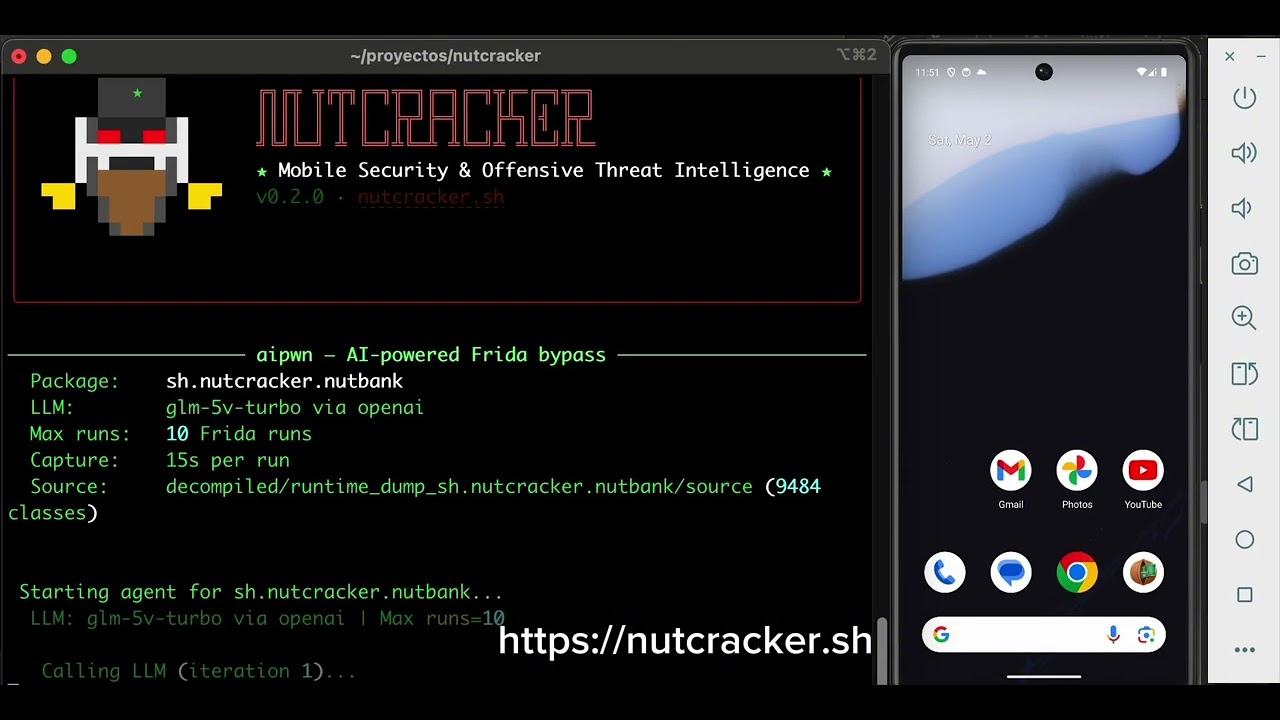
Nutcracker is intended for security research, penetration testing, and educational purposes only. Use this tool exclusively on applications you own or have explicit written authorization to test. Unauthorized analysis of third-party applications may violate local laws, international regulations, and app store terms of service. The authors assume no liability for misuse or any damage caused by this tool. Use responsibly.
- Downloads APKs from Google Play (via apkeep + AAS token), APKPure or direct URL
- App Bundle (AAB) support: split detection and
adb install-multiple - Static protection detection: DexGuard, Arxan, Appdome, RootBeer, Promon Shield, etc.
- Smart analytics SDK filtering (AppMetrica, AppsFlyer, etc.) to avoid false positives
- Dynamic deobfuscation via
frida_server,gadgetorfart, depending on the configured pipeline - Optional Frida Gadget instrumentation as an embedded fallback path
- SAST scanner: semgrep (OWASP MASTG) + 38 internal regex rules (
sast_scanfeature) - Configurable leak/secret search: internal HC rules + apkleaks + gitleaks on decompiled code and original APK
- Optional OSINT module: subdomains via crt.sh, public leaks on GitHub/Postman/FOFA/Shodan/Wayback, false-positive filter and optional web searches via DuckDuckGo
- AI Review (
ai-review): LLM-powered false positive filter — reviews each finding, tags FPs with_fp: true(preserved in JSON for audit), downgrades low-confidence findings severity; auto-regenerates PDF - AndroidManifest.xml analysis: dangerous permissions, exported components,
network security configand insecure configurations - MASVS v2.1 compliance scoring, backed by a deterministic check registry mapped to MASVS + MASWE + CWE (see OWASP MAS Alignment)
- Complete PDF report: cover page, MASVS compliance, protections, misconfigurations, OSINT, leaks, and SAST vulnerabilities
- Batch mode to scan multiple apps, backed by a job queue with configurable static parallelism and per-device serialization for dynamic jobs (see Mass Execution)
- Built-in scheduler that re-queues every app for periodic re-review (default ≥1/month), driven by
nutcracker serve - Local web dashboard (
nutcracker dashboard): apps overview, live job logs, fluid WebUSB device video, MASVS trend per app, and an inline schedule editor — SQLite-backed, no external services (see Web Dashboard) - Modules controllable via feature flags in
config.yaml decompilation: jadxpipeline option forces static-only analysis — disables Frida/emulator even when DexGuard is detected
Fastest path from a clean machine to a working scan.
1. Clone and set up the Python environment
git clone <repo>
cd nutcracker
./setup.sh
# or manually:
#   python3 -m venv .venv && source .venv/bin/activate && pip install -r requirements.txt
2. Get the analysis tools — pick one
-
Install locally (jadx, apktool, semgrep, gitleaks, apkleaks, apkid, adb, Android SDK build-tools) — see System Requirements for the exact commands per OS.
-
Or skip the local install entirely: enable the Docker toolbox. If Docker is available, none of those tools need to be on the host — they run sandboxed in a container. See Static Analysis Toolbox below.
# config.yaml
toolbox:
  enabled: true
adb/frida always run on the host either way — they need to talk to a real device or emulator,
so they're out of scope for the toolbox (see that section for why).
3. Configure
cp config.yaml.example config.yaml
# fill in google_play.email/aas_token if you'll download from Google Play (see
# "Obtaining the Google Play AAS Token" below), and the llm: block if you use
# ai-review.
4. Run your first scan
python nutcracker.py analyze path/to/app.apk         # local APK
python nutcracker.py scan com.example.app # download + analyzebrew install apkeep # download APKs from Google Play / APKPure
brew install jadx # decompile APKs to Java + XML
brew install apktool # unpack/repack APKs (required for gadget_inject)
brew install semgrep # static analysis (OWASP MASTG rules)
brew install android-platform-tools # adb# Base tools
sudo apt update
sudo apt install -y openjdk-21-jre-headless jadx apktool adb curl binutils-aarch64-linux-gnu
# semgrep (via pipx recommended)
python3 -m pip install --user pipx
python3 -m pipx ensurepath
pipx install semgrep
# apkeep (official binary — direct download, no archive)
APKEEP_VERSION="1.0.0"
curl -L -o /tmp/apkeep \
"https://github.com/EFForg/apkeep/releases/download/${APKEEP_VERSION}/apkeep-x86_64-unknown-linux-gnu"
sudo install /tmp/apkeep /usr/local/bin/apkeep
apkeep --versionFor other distros (Fedora/Arch), install the equivalent packages for
openjdk,jadx,apktoolandadb, and keepapkeepfrom its official release.
# Java 11+ required. Example with OpenJDK:
brew install openjdk@21
Tested version: openjdk 23.0.1
Install from Android Studio or with sdkmanager.
The tool automatically detects the SDK at ~/Library/Android/sdk (macOS).
Required components:
# From Android Studio → SDK Manager, or with sdkmanager:
sdkmanager "platform-tools"                     # adb
sdkmanager "emulator"                           # AVD emulator
sdkmanager "build-tools;34.0.0"                 # apksigner, zipalign
sdkmanager "system-images;android-34;google_apis;arm64-v8a"  # AVD image
avdmanager create avd -n nutcracker_avd -k "system-images;android-34;google_apis;arm64-v8a"
apksignerandzipalignare required for APK Bundle patching and for Frida Gadget injection. They can be found at~/Library/Android/sdk/build-tools/<ver>/.
git clone <repo>
cd nutcracker
python3 -m venv .venv
source .venv/bin/activate
pip install -r requirements.txt
Every command in this README also works as python nutcracker.py <command> (script mode, no
install needed). Alternatively, install it as a package to get a nutcracker console command:
pip install -e .              # editable install; entry point: nutcracker = nutcracker_core.cli:cli
pip install -e ".[dashboard]" # + fastapi/uvicorn for `nutcracker dashboard`
nutcracker --help| Package | Purpose |
|---|---|
androguard |
Static APK analysis (DEX, manifest, strings) |
click |
CLI |
rich |
Terminal output with colors and spinners |
pyyaml |
Read config.yaml |
fpdf2 |
PDF report generation |
loguru |
Structured logging |
requests |
HTTP (download frida-server, internal communication) |
Note:
frida,frida-tools,frida-dexdump,semgrepandapkleaksare system tools (pip or Homebrew), not project dependencies. They are validated withshutil.which()before use; if not installed, the corresponding module is skipped with a warning.
Not to be confused with Docker Usage (hybrid) below — that mode runs the
whole nutcracker process inside a container. This is different: it's a uniform access layer that
sandboxes only the static analysis tools (nutcracker_core/toolbox/), while nutcracker itself
keeps running directly on the host.
Why Docker only for static tools: jadx/apktool/radare2/etc. decompile third-party content (APKs of real, potentially malicious apps) — the container isolates any attempt to exploit a bug in the decompiler itself from the rest of the host. It also sidesteps installing 8+ separate tools per-OS (see System Requirements) — useful on a machine that doesn't have them and won't otherwise need them.
Why not adb/frida too: they need to talk directly to a physical device or emulator attached
to the host. Putting them in a container would add a network/USB layer to solve without gaining real
isolation — that isolation comes from having a dedicated test device, not from the process that
controls it.
Tools included: aapt, aapt2, apktool, baksmali, smali, jadx, r2 (radare2), readelf,
nm, objdump, strings, blint, gitleaks, apkid, apksigner, apkleaks — all verified
running for real inside the built image, not just assumed from the Dockerfile.
Enable it in config.yaml:
toolbox:
  enabled: false   # true = decompile/scan via Docker instead of local binaries
  image: 'nutcracker-toolbox-static:latest'
With enabled: false (the default), nothing changes — every module still calls local binaries via
shutil.which() exactly as before. Currently wired into decompiler.py (jadx/apktool),
native_scanner.py (nm/objdump/strings) and leak_scanner.py (gitleaks/apkleaks).
Build the image (optional — it builds itself automatically the first time it's needed):
docker build -f nutcracker_core/toolbox/docker/Dockerfile.static \
    -t nutcracker-toolbox-static:latest nutcracker_core/toolbox/docker
See nutcracker_core/toolbox/README.md for the full design
(volume mounting, the --user UID/GID fix, known limitations).
This mode runs nutcracker inside Docker and uses an emulator/device connected on the host.
This is the recommended option for Windows + WSL.
docker compose build
docker compose run --rm nutcrackerInside the container:
adb devices
frida-ls-devices
If nothing appears, restart ADB on the host (Windows/Linux/macOS):
adb kill-server
adb start-server
adb devicespython nutcracker.py analyze downloads/app.apk- The emulator typically runs on Windows, not inside WSL.
- The container connects to the host's
adb serverviaADB_SERVER_SOCKET=tcp:host.docker.internal:5037. - If Frida cannot resolve
-D emulator-xxxx, use-U(the project pipeline already handles this for emulators).
OWASP MASTG rules for jadx-decompiled code come from: mindedsecurity/semgrep-rules-android-security
git clone https://github.com/mindedsecurity/semgrep-rules-android-security \
    semgrep_rules_android

# To update:
git -C ./semgrep_rules_android pull
The path is configured in config.yaml:
sast:
  engine: auto          # auto | semgrep | regex | none
  config: "p/secrets ./semgrep_rules_android/rules"
Note: The
p/android,p/secretsandp/owasp-top-tenprofiles are no longer available in the semgrep public registry (HTTP 404 since ~2025). Use the local rules instead.
apkeep requires a long-lived AAS token to download from Google Play.
Important:
setup-tokenrequires a real device or an emulator without Google Play (i.e.google_apisimage, notgoogle_play). Play Store-protected AVDs block the token extraction flow.
# Interactive assistant (step-by-step guided on the device):
python nutcracker.py setup-token

# Optional: choose device and method
python nutcracker.py setup-token --serial emulator-5554 --method autosource .venv/bin/activate
# Analyze a local APK:
python nutcracker.py analyze downloads/app.apk
# Download and analyze from Google Play (URL or package ID):
python nutcracker.py scan 'https://play.google.com/store/apps/details?id=com.example.app'
python nutcracker.py analyze com.example.app
# Batch scan from a package list:
python nutcracker.py batch packages.txtLaunches an already-installed app using the last bypass script generated for that package:
# Use the most recent bypass script for the package:
python nutcracker.py launch com.example.app

# Specify a particular emulator:
python nutcracker.py launch com.example.app --serial emulator-5554

# Specify a script manually:
python nutcracker.py launch com.example.app --script frida_scripts/bypass_com.example.app_....js

# Pass the APK path directly (extracts the package from the filename):
python nutcracker.py launch downloads/com.example.app/com.example.app.apk
The command:
- Restarts frida-server on the device (kills any existing process).
- Runs
adb rootto obtain contextu:r:su:s0— required on Android 14 so frida-server can read/sys/fs/selinux/policy. - Launches the app via
frida -f <package> -l <script>with the bypass script.
batch (and every job submitted through queue add) runs on a shared job queue instead of an
in-process loop: static analyses (decompile, SAST, OSINT) run in parallel across
queue.static_workers threads, while dynamic analyses (Frida/ADB on a physical device) are
always serialized per device serial — two dynamic jobs never touch the same phone at once, even
if queue.dynamic_workers > 1 (that setting controls parallelism across different devices).
Every job runs as an isolated subprocess (the same analyze/scan CLI path), so a crash in one
target can never corrupt another's in-process state.
# Enqueue a single target (path, URL, package id) and run the queue immediately:
python nutcracker.py queue add com.example.app --run

# Enqueue a dynamic job (requires a local .apk and a connected device):
python nutcracker.py queue add downloads/app.apk --dynamic --serial emulator-5554 --run

# Batch a .txt file of package ids: static analysis for every line, chaining an
# aipwn bypass run after each one that finishes OK (list_file: one package id
# per line, blank lines/#comments ignored, same format as `batch`):
python nutcracker.py queue add packages.txt --then-aipwn --serial emulator-5554 --run

# Same, but pull each .apk from the app already installed on the device
# instead of downloading it from a store (--source device is a single global
# flag for the whole file, not per line):
python nutcracker.py queue add packages.txt --then-aipwn --source device --serial emulator-5554 --run

# List recent jobs:
python nutcracker.py queue ls
python nutcracker.py queue ls --status error --limit 50

# Schedule a periodic review (default: every 30 days, i.e. ≥1/month):
python nutcracker.py schedule set com.example.app --every 30
python nutcracker.py schedule ls
python nutcracker.py schedule set com.example.app --disable

# Long-running daemon: re-queues every app whose schedule is due, on a poll
# interval (config.yaml → scheduler.poll_interval_minutes, default 60min).
python nutcracker.py serve
Any app that goes through batch, queue add, or analyze/scan is auto-scheduled for
periodic re-review — the "≥1 review/month" guarantee applies without extra setup, using
scheduler.default_interval_days (default 30) unless overridden per app via schedule set.
Configure parallelism and cadence in config.yaml:
queue:
  static_workers: 4          # parallel static analyses at once
  dynamic_workers: 2         # concurrent *devices* for dynamic jobs (never same serial)

scheduler:
  enabled: true
  poll_interval_minutes: 60  # how often `serve` checks for due apps
  default_interval_days: 30  # ≥1 review/month per app unless overridden
State (queued/running/done/error, per-app schedule, run history and findings) is persisted to a
local SQLite database (store.db_path in config.yaml, default ./nutcracker.db) — this is
what both serve and the dashboard read from; it does not replace the existing JSON/PDF reports
in reports/<pkg>/, it complements them.
Use config.yaml.example as the source of truth.
The recommended practice is to copy that file to config.yaml and adjust only the values you need.
google_play:
  email: "you@gmail.com"
  aas_token: "aas_et/..."

downloader:
  output_dir: "./downloads"
  keep_apk: true

reports:
  output_dir: "./reports"
  save_json: false
  save_pdf: true

features:                       # Feature flags: enable or disable modules
  anti_root_analysis: true      # Anti-root protection detection
  decompilation: true           # Decompilation (jadx or runtime, depending on pipeline)
  manifest_scan: true           # Insecure manifest configuration analysis
  sast_scan: false              # SAST scanner (semgrep + regex)
  leak_scan: true               # Leak/secret scanner
  osint_scan: true              # OSINT: subdomains and public leaks
  report_pdf: true              # Generate PDF report
  report_json: false            # Generate JSON report

sast:                           # SAST scanner settings
  engine: auto                  # auto | semgrep | regex | none
  config: "p/secrets ./semgrep_rules_android/rules"

leak_scan:
  native: true                  # Internal HC rules on decompiled code
  apkleaks: true                # apkleaks on the original APK
  gitleaks: true                # gitleaks on decompiled code

osint:
  crt_sh: true                  # Subdomain enumeration via crt.sh
  github_search: true           # Search for public leaks on GitHub
  github_token: ''              # Optional PAT for the Code Search API
  fofa_search: false            # Search for exposed assets on FOFA
  fofa_key: ''                  # FOFA API key for search/all
  postman_search: true          # Search for public Postman collections
  execute_dorks: false          # Optional web searches via DuckDuckGo
  dork_engines:
    - duckduckgo
  dork_max_per_engine: 5        # Maximum web queries per engine
  dork_max_results_per_dork: 5  # Maximum results per query
  wayback_search: true          # Search historical URLs on archive.org
  wayback_limit_per_domain: 200 # Maximum archived URLs per domain
  wayback_filter_interesting: true  # Filter to sensitive paths/queries

strategies:
  anti_root_engine: native      # Anti-root detection engine: native | apkid
  show_emulator: true
  runtime_target: emulator      # auto | emulator | device
  default_emulator_avd: ""
  default_device_id: ""
  frida_host: ""               # host:port for Frida TCP
  frida_server_version: ""     # explicit frida-server version

pipelines:
  protected:                    # Apps with detected protection
    decompilation: runtime      # runtime | jadx (jadx = static-only, disables Frida)
    fallback_jadx: true         # If runtime fails, try jadx
    runtime_methods:
    - frida_server
    - gadget
    - fart
  unprotected:                  # Apps without protection
    decompilation_jadx: true    # Direct static decompilation

# LLM-powered false positive filter (runs as a post-hook after analysis)
post_hooks: [ai-review]
ai_review:
  batch_size: 8                 # Findings per LLM request
  context_lines: 4              # Source lines of context sent to LLM
  regen_pdf: true               # Regenerate PDF after filtering

llm:
  model: deepseek-v4-pro        # Any OpenAI-compatible model
  api_key: "sk-..."
  base_url: "https://api.deepseek.com"
  provider: openai
  max_tokens: 4096
  timeout: 120

# Azure AI Foundry example: keep provider: openai (the ".../openai/v1"
# endpoint is OpenAI-wire-compatible) -- do NOT use provider: azure or
# azureopenai for this URL shape, those expect a different endpoint format
# (*.models.ai.azure.com or *.openai.azure.com + api_version) and will fail.
# llm:
#   provider: openai
#   model: my-deployment-name          # the Azure deployment name, not a generic model id
#   api_key: "<azure-api-key>"
#   base_url: "https://<resource>.services.ai.azure.com/openai/v1"

auto:
  unattended: true              # Unattended mode (no manual intervention)

batch:
  list_file: ""                # Optional list file for batch mode
  stop_on_error: false

store:                          # SQLite persistence (queue/scheduler/dashboard state)
  enabled: true                 # set false to skip SQLite entirely
  db_path: ""                   # empty = ./nutcracker.db at the project root

queue:                          # see "Mass Execution: Queue & Scheduler"
  static_workers: 4
  dynamic_workers: 2

scheduler:                      # see "Mass Execution: Queue & Scheduler"
  enabled: true
  poll_interval_minutes: 60
  default_interval_days: 30

dashboard:                      # see "Web Dashboard" — only used by `nutcracker dashboard`
  bind: "127.0.0.1"
port: 8765APK
└─► Install on AVD emulator
├─► frida-dexdump (primary strategy: dumps DEX from memory)
│ └─► fails →
├─► Frida Gadget inject (if pipeline.protected includes gadget)
│ └─► fails →
└─► FART (classloader hook via Frida script)
└─► jadx → scan → PDF
The PDF cover page shows a single risk score (0–100, higher = worse) and a letter grade derived from weighted deductions across all finding categories:
| Factor | Deduction | Cap |
|---|---|---|
| No protection detected | −30 | — |
| Protection bypassed (RASP) | −20 | — |
| Each CRITICAL vulnerability | −15 | −45 |
| Each HIGH vulnerability | −8 | −24 |
| Each MEDIUM vulnerability | −3 | −12 |
| Each LOW vulnerability | −1 | −5 |
| Each hardcoded secret / leak | −4 | −20 |
| Each manifest misconfiguration | −2 | −10 |
| Each CVE CRITICAL (Shodan) | −8 | −15 (assets total) |
| Each CVE HIGH (Shodan) | −4 | ↑ |
Grade thresholds (score = 100 − deductions, floor 0):
| Score | Grade | Risk Level |
|---|---|---|
| 85–100 | A | MINIMAL |
| 70–84 | B | LOW |
| 50–69 | C | MEDIUM |
| 30–49 | D | HIGH |
| 0–29 | F | CRITICAL |
Note: MASVS v2 compliance uses a separate numeric count (
10/24 controls passed). It is not included in the risk score — it measures regulatory compliance, not operational risk.
| Section | Description |
|---|---|
| Cover | Risk score (0–100), letter grade (A–F), overall risk level and findings breakdown by category |
| MASVS v2 Compliance | 24-control pass/fail evaluation — numeric count only (10/24 controls), no letter grade |
| Protections | Detected vs bypassed protections (8 detectors) |
| Misconfigurations | AndroidManifest.xml analysis: debuggable, allowBackup, cleartext, exported components and dangerous permissions |
| OSINT | Own domains, subdomains and public leaks (GitHub, Postman, FOFA, Shodan, Wayback) |
| Leaks | Hardcoded secrets: API keys, tokens, URLs, AWS/Firebase credentials |
| Vulnerabilities | semgrep + regex findings classified by severity (only if sast_scan: true and files were scanned) |
An optional LLM-powered post-hook that filters false positives from findings:
# Runs automatically after scan if configured in post_hooks:
post_hooks: [ai-review]

# Or manually:
python nutcracker.py ai-review com.example.app
python nutcracker.py ai-review com.example.app --dry-run   # preview only
How it works:
- Sends findings in batches to the configured LLM (any OpenAI-compatible provider)
- Each finding is classified as
TRUE_POSITIVE,FALSE_POSITIVEorDOWNGRADE - FPs are tagged
_fp: truein the JSON — never deleted — so the audit trail is preserved - Downgrades reduce severity (e.g.
high→infofor URL-only findings) - URL-valued findings (
HC007/HC008with only a URL as matched text) are automatically degraded toinfoeven without LLM review - PDF is regenerated with only true positives visible
Detectors implement multiple filtering layers:
- Anti-root: Whitelist of 30+ analytics SDK namespaces (AppMetrica, AppsFlyer, Adjust, etc.). Root-check strings from SDKs are not counted as app-level protection.
- DexGuard: Requires vendor signature (guardsquare, arxan) as mandatory evidence. Multidex + high entropy without vendor sig is not reported.
- Leaks (regex): Ignore patterns for HC002 (passwords), HC006 (crypto keys), AUTH001 (tokens in logs) that filter framework constants.
- Leaks (apkleaks): Post-filtering of noisy categories and FP patterns (JWT versions, X.509, Facebook SDK signatures).
When apkeep downloads only the base split (base.apk), the tool:
- Detects additional splits in the same package folder
- Uses
adb install-multiplewith all splits (excludes_patched,_unsigned,_resignartifacts) - If no local splits exist: patches the binary
AndroidManifest.xmlto overriderequiredSplitTypesand reinstalls
On Android 14 (API 34), frida-server needs SELinux context u:r:su:s0 to read
/sys/fs/selinux/policy during spawn. Without this context, frida throws InvocationTargetException.
The launch command and the automatic pipeline run adb root before starting frida-server.
Requires an AVD with a google_apis image (not google_play) or root access on a physical device.
When the app doesn't start with monkey (native-level anti-tampering, emulator detection), the system automatically tries:
am start— more reliable alternative to monkey for apps with restrictions in the intent handlerfrida-dexdump -f(spawn mode) — pauses the app before any code runs, including anti-tampering. Requires an active frida-server.
Every finding-producing rule (regex, semgrep, native-lib heuristics, manifest analysis, and a
handful of deterministic on-device checks) is registered as a Check in
nutcracker_core/checks/ and mapped to the official OWASP taxonomy: a MASVS v2.1 control, the
relevant MASWE weakness id(s) (MASWE-XXXX), and a CWE id where one genuinely applies.
There is no in-process framework separate from the existing scanners — checks/static/adapter.py
wraps the existing rule registries (vuln_scanner, native_scanner, detectors, manifest
analysis) so every rule gets taxonomy metadata without being rewritten.
# Regenerate the coverage matrix from the check registry (source of truth, not hand-edited):
python tools/gen_owasp_coverage.py    # writes docs/owasp-mas-coverage.md
Current coverage (regenerated, not aspirational): 18/24 MASVS v2.1 controls have at least one
check, across 68 checks (66 static, 2 dynamic — ADB-only, no LLM), referencing 33/119 MASWE
weaknesses. The 6 uncovered controls (MASVS-AUTH-1, AUTH-3, CODE-2, CODE-3, PRIVACY-3,
PRIVACY-4) are documented as deliberately out of scope, not missing work: they require live
backend behavior, business-logic understanding, or a real CVE database — none of which can be
verified deterministically by analyzing an APK alone. See
docs/owasp-mas-coverage.md for the full per-control breakdown.
Dynamic checks (checks/dynamic/) run headless over ADB against a connected device/emulator —
no Frida REPL, no manual interaction — via:
python nutcracker.py analyze downloads/app.apk --dynamic-checks --serial emulator-5554nutcracker dashboard starts a local web UI (FastAPI + WebSocket, self-contained — no CDN
dependencies, dark/light theme aware) backed by the same SQLite store and job queue used by
serve/batch/queue add:
python nutcracker.py dashboard
# → http://127.0.0.1:8765

python nutcracker.py dashboard --port 8080 --host 0.0.0.0   # expose on the LAN
python nutcracker.py dashboard --no-scheduler                # if `nutcracker serve` already runs elsewhere
It shows:
- Apps overview — verdict, MASVS score/grade, next scheduled review; click a row for a detail view with the MASVS score trend over time, the MASVS controls affected, and the full findings table (rule, severity, MASVS/MASWE/CWE, location) for the latest run.
- Analysis queue — enqueue a target (path/URL/package id/list file) and watch it run,
including
aipwnruns (see below). - Batch from a .txt file — upload a
.txtof package ids (one per line,#commentsignored) from the queue panel: every package gets a static analysis and, once it finishes OK, a chainedaipwnrun right after (same semantics asqueue add <file> --then-aipwnbelow). A single dropdown picks the.apksource for the whole file — the store (default) or the app already installed on the connected device (adb pull, no download at all). - Live logs — real job output streamed line-by-line over WebSocket as it happens.
- Device — fluid live video via WebUSB + WebCodecs, opt-in (see below). No fallback: without WebUSB support the tab just shows why (unsupported browser, or the bundle isn't built yet).
- Agent / Chat — the real system prompt of the
aipwnbypass agent (if installed), and a WebSocket chat channel that a runningaipwnjob actually consumes (see below). - Inline schedule editor — change an app's review interval without touching the CLI.
The dashboard is itself a plugin (nutcracker_core/plugins/dashboard/) — it only reads the
store and drives the queue through their public APIs, following the same core/plugin boundary
as every other plugin in this project.
For genuinely fluid video (15-30fps, like app.webadb.com), the dashboard
ships an opt-in WebUSB mode: the browser itself speaks the ADB/scrcpy protocol directly over
USB — no server-side process at all for this path — and decodes raw H.264 natively via the
WebCodecs API. It's the project's first JS subproject
(nutcracker_core/plugins/dashboard/webusb/, TypeScript + Vite, built on
Tango):
cd nutcracker_core/plugins/dashboard/webusb
corepack enable && pnpm install && pnpm run build
This produces a self-contained bundle (the real scrcpy-server binary ends up embedded inside it
as a data URI — no separate .bin file to manage) served by the dashboard. A "🔌 USB directo
(fluido)" button appears in the Device tab automatically once the bundle exists and the browser
supports it — real constraints apply: Chromium only (no Firefox/Safari, WebUSB isn't
implemented there), the phone must be on USB on the same machine as the browser (can't reach a
remote/networked device), and it needs a secure context (fine on localhost, not on a plain-HTTP
LAN address). Without a supported browser or a built bundle, the Device tab explains why instead
of silently falling back to anything else. See
webusb/README.md for the full picture.
aipwn (the LLM-powered bypass agent) can run as a queue job like any other target — its live
reasoning ("Nutcracker thinking", each tool call) streams to the same live-logs WebSocket as
analyze/scan jobs, and it shares the per-device lock with dynamic jobs (never runs
concurrently with another job on the same phone):
python nutcracker.py queue add com.example.app --aipwn --serial emulator-5554 --runThe dashboard's chat (/ws/chat/{package}) is genuinely consumed by a running aipwn job: every
operator message is also written to a small pull-based mailbox
(GET /api/chat/{package}/pending); the agent polls it once per ReAct iteration (before calling
the LLM) and injects any pending message as a real conversation turn — no dashboard running means
no polling and zero overhead, this is entirely opt-in via the NUTCRACKER_DASHBOARD_URL
environment variable the queue sets for the job's subprocess.
See ROADMAP.md for pending tasks: OSINT improvements, iOS/IPA support and partial migration to Go.
Nutcracker auto-discovers plugins: any subdirectory inside nutcracker_core/plugins/
that exposes a register(cli) function is loaded at startup.
git clone https://github.com/<user>/<plugin-repo> nutcracker_core/plugins/<name>
# requirements.txt is installed automatically on first use| Plugin | Command | Description |
|---|---|---|
aipwn |
nutcracker aipwn <package> |
Autonomous LLM-powered Frida bypass agent |
aireview |
nutcracker ai-review <package> |
LLM-powered false positive filter |
dashboard |
nutcracker dashboard |
Local web dashboard over the queue + SQLite store (see Web Dashboard) |
aipwnnative library analysis — The agent can disassemble and patch.sofiles (native RASP checks). This requires a cross-compilerobjdumpfor ARM64:
- macOS: system
objdump(LLVM) supports ELF ARM64 — no extra install needed.- Linux:
sudo apt install binutils-aarch64-linux-gnu(providesaarch64-linux-gnu-objdump). Already included in the Docker image.- Optional:
radare2— if present, preferred over objdump for richer output.
aipwnnative library analysis — The agent can disassemble and patch.sofiles (native RASP checks). This requires a cross-compilerobjdumpfor ARM64:
- macOS: system
objdump(LLVM) supports ELF ARM64 — no extra install needed.- Linux:
sudo apt install binutils-aarch64-linux-gnu(providesaarch64-linux-gnu-objdump). Already included in the Docker image.- Optional:
radare2— if present, preferred over objdump for richer output.
A plugin is a Python package (a folder with __init__.py) placed inside
nutcracker_core/plugins/. The only required contract is a top-level
register(cli) function — everything else is optional.
nutcracker_core/plugins/myplugin/
├── __init__.py        # required
└── requirements.txt   # optional — auto-installed if import fails
cli is the root click.Group of nutcracker.py. Use it to attach one or
more subcommands:
# nutcracker_core/plugins/myplugin/__init__.py
from __future__ import annotations
import click

def register(cli: click.Group) -> None:
    @cli.command("my-command")
    @click.argument("package")
    @click.option("--verbose", "-v", is_flag=True)
    def my_command(package: str, verbose: bool) -> None:
        """Short description shown in nutcracker --help."""
        click.echo(f"Running myplugin on {package}")
After adding the file, the command is available immediately:
python nutcracker.py my-command com.example.app
python nutcracker.py --help # shows my-command in the listfrom nutcracker_core.config import load_config, get as cfg_get
def register(cli: click.Group) -> None:
@cli.command("my-command")
@click.argument("package")
def my_command(package: str) -> None:
config = load_config()
api_key = cfg_get(config, "llm.api_key", default="")
timeout = cfg_get(config, "llm.timeout", default=60)
...You can also add your own block to config.yaml:
# config.yaml
myplugin:
  output_dir: "./myplugin_output"
  max_items: 10
output_dir = cfg_get(config, "myplugin.output_dir", default="./myplugin_output")Post-hooks let you run code automatically after scan / analyze / batch
without modifying nutcracker.py:
from nutcracker_core.plugins import register_post_hook

def _after_analysis(package, result, vuln_scan, config):
    # Runs after every scan/analyze that produces a result
    print(f"[myplugin] {package} — {len(vuln_scan.findings)} findings")

def _after_batch(packages, config):
    # Runs once after a full batch completes
    print(f"[myplugin] batch done — {len(packages)} apps")

def register(cli: click.Group) -> None:
    register_post_hook("after_analysis", _after_analysis)
    register_post_hook("after_batch",    _after_batch)
Available events:
| Event | When | kwargs |
|---|---|---|
after_analysis |
After every scan / analyze run |
package, result, vuln_scan, config |
after_batch |
Once after batch finishes |
packages (list[str]), config |
Create requirements.txt next to __init__.py. If the plugin fails to import
due to missing packages, the loader automatically runs pip install -q -r requirements.txt
and retries the import.
# nutcracker_core/plugins/myplugin/requirements.txt
httpx>=0.27
rich>=13
# nutcracker_core/plugins/myplugin/__init__.py
from __future__ import annotations
from pathlib import Path
import click
from nutcracker_core.plugins import register_post_hook


def _after_analysis(package, result, vuln_scan, config):
    out = Path("./myplugin_output") / f"{package}.txt"
    out.parent.mkdir(parents=True, exist_ok=True)
    out.write_text(f"{len(vuln_scan.findings)} findings\n")


def register(cli: click.Group) -> None:
    register_post_hook("after_analysis", _after_analysis)

    @cli.command("my-command")
    @click.argument("package")
    def my_command(package: str) -> None:
        """Run myplugin manually on PACKAGE."""
click.echo(f"myplugin: {package}")nutcracker/
├── nutcracker.py # Thin entrypoint shim → nutcracker_core.cli.cli
├── config.yaml # Local configuration
├── config.yaml.example # Configuration template
├── setup.sh # Quick install script
├── requirements.txt # Python dependencies
├── docker-compose.yml # Docker environment for hybrid execution
├── Dockerfile # Project base image
├── docs/
│ ├── assets/ # Logo and README assets
│ └── owasp-mas-coverage.md # Generated MASVS×MASWE coverage matrix (tools/gen_owasp_coverage.py)
├── downloads/ # Downloaded APKs
├── decompiled/ # Code decompiled by jadx / frida-dexdump
├── frida_scripts/ # Generated Frida bypass scripts
├── reports/ # Generated PDFs and JSON reports
├── nutcracker.db # SQLite store (queue/scheduler/dashboard state, gitignored)
├── semgrep_rules_android/ # OWASP MASTG rules
├── tools/ # Auxiliary utilities (incl. gen_owasp_coverage.py)
└── nutcracker_core/
├── __init__.py # Main package
├── analyzer.py # Main static analysis (androguard)
├── apk_tools.py # APK manipulation and installation utilities
├── config.py # config.yaml loading and access (supports ${ENV_VAR})
├── device.py # Devices, SDK, Frida and adb utilities
├── downloader.py # Download APKs (Google Play / APKPure / direct URL)
├── decompiler.py # jadx interface
├── deobfuscator.py # FART flow for physical device
├── frida_bypass.py # Frida scripts (bypass, FART)
├── manifest_analyzer.py # AndroidManifest.xml and insecure configuration analysis
├── masvs.py # MASVS v2.1 taxonomy: controls, RULE_TO_MASVS/MASWE/CWE
├── orchestrator.py # Shared orchestration used by CLI, queue jobs and dashboard
├── osint.py # Subdomains, public leaks, Wayback and optional web searches
├── pdf_reporter.py # PDF report generation (fpdf2)
├── pipeline.py # End-to-end analysis pipeline
├── reporter.py # JSON reports and console output
├── runtime.py # Dynamic analysis orchestration
├── scan_types.py # Shared finding/scan dataclasses
├── scheduler.py # APScheduler-based periodic re-review (used by `serve`/dashboard)
├── string_extractor.py # APK string extraction
├── vuln_scanner.py # Regex + semgrep vulnerability rules
├── leak_scanner.py # apkleaks + gitleaks secret scanning
├── native_scanner.py # Native (.so) library heuristics
├── cli/ # Click commands (one module per command)
│ ├── __init__.py # Root click.Group + plugin loading + banner
│ ├── scan.py / analyze.py / launch.py / batch.py
│ ├── queue_cmd.py # `queue add`/`queue ls`
│ ├── schedule_cmd.py # `schedule set`/`schedule ls`
│ ├── serve.py # `serve` daemon (queue + scheduler, no UI)
│ ├── setup_token.py / regen_pdf.py
├── store/ # SQLite persistence (Fase 0)
│ ├── db.py # Connection + WAL mode + versioned migrations
│ ├── repository.py # Typed CRUD (apps, runs, findings, schedule, queue_jobs)
│ ├── hooks.py # after_analysis post-hook → double, non-destructive write
│ └── schema.sql
├── queue/ # Job queue engine (Fase 1)
│ ├── engine.py # Static thread pool + per-device lock for dynamic jobs
│ └── job.py
├── checks/ # OWASP MAS-aligned deterministic check registry (Fase 2)
│ ├── base.py # Check / CheckMeta / CheckFinding
│ ├── registry.py # register_static / register_dynamic / load_all
│ ├── static/adapter.py # Wraps vuln_scanner/native_scanner/detectors/manifest as Checks
│ └── dynamic/ # Headless ADB-only checks (debuggable, cleartext traffic, ...)
├── plugins/
│ ├── __init__.py # Plugin loader + post-hook registry
│ ├── aireview/ # ai-review plugin: LLM-powered false positive filter
│ ├── aipwn/ # Autonomous LLM-powered Frida bypass agent
│ └── dashboard/ # Web dashboard (Fase 3) — FastAPI + WS + self-contained SPA
└── detectors/
├── __init__.py # Detectors subpackage export
├── appdome.py # Appdome detector
├── base.py # Common base for detectors
├── certificate_pinning.py # Certificate pinning detector
├── dexguard.py # DexGuard / Arxan detector (requires vendor signature)
├── libraries.py # Anti-root library detector (classes only, no strings)
├── magisk.py # Magisk / SuperSU / KernelSU / Frida detector
├── safetynet.py # SafetyNet / Play Integrity API detector
└── manual_checks.py # Manual checks (with analytics SDK filtering)
This project is licensed under the MIT License.