

An XrmToolBox tool that converts Dynamics 365 form event handler registrations made in the form designer UI into equivalent JavaScript code — and unregisters them from the form.
Registering event handlers through the form designer (Form Properties → Event Handlers) is
tedious and hides your form logic in form XML, where it cannot be reviewed or diffed with the
code it calls. The modern approach is to register everything from a single OnLoad bootstrap using
the Client API (addOnChange, addOnSave, addTabStateChange, …). Events2Code automates the
migration.
- XrmToolBox Tool Library — search for Events2Code and install it.
- Manually — download
Events2Code.dllfrom the latest release, copy it into your XrmToolBoxPluginsfolder, and restart XrmToolBox.
Needs XrmToolBox 1.2025.7+, .NET Framework 4.8, and a connection whose user can update forms and publish customizations.
-
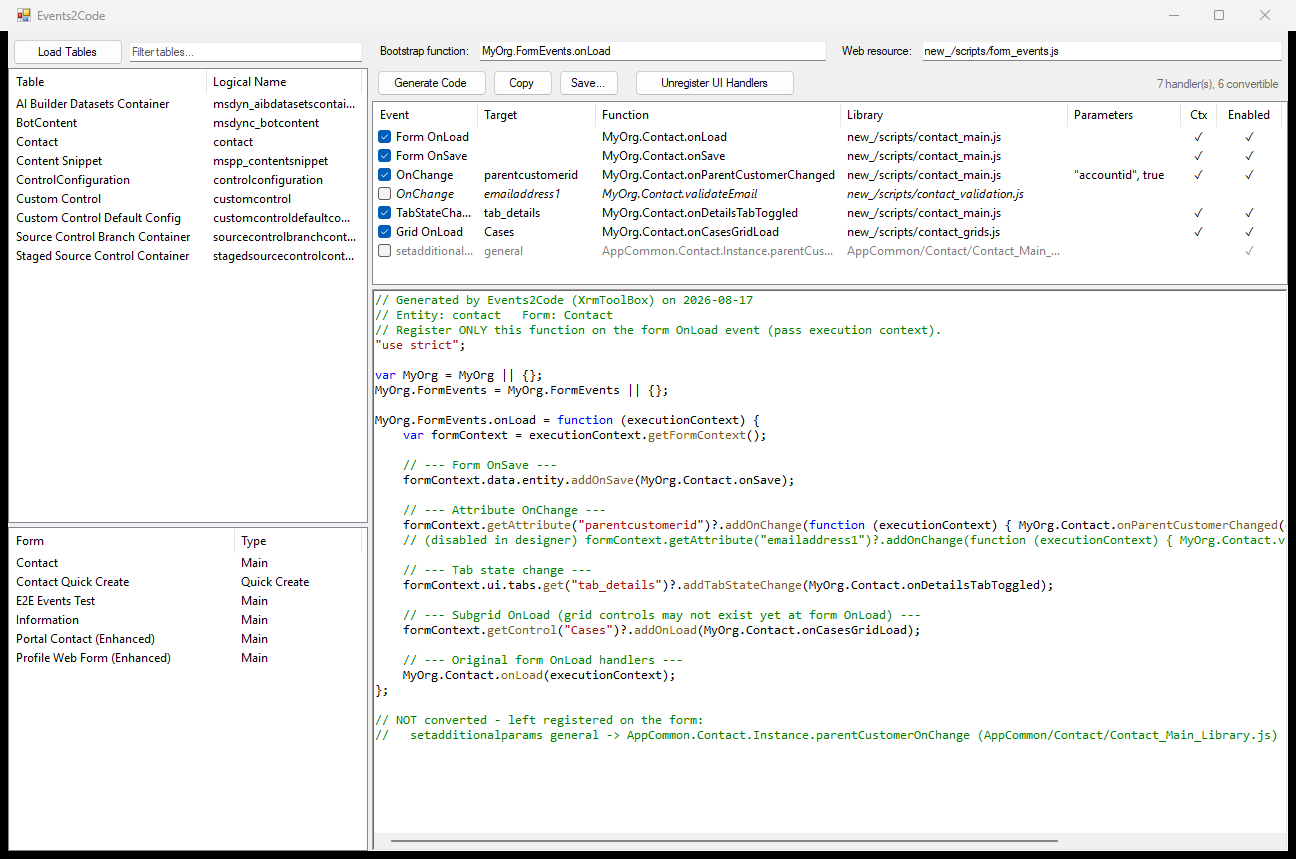
Browse forms — connect via XrmToolBox, pick a table, and see all Main and Quick Create forms
-
List registrations — every UI-registered handler with event type, target, function, library, parameters, and enabled state
-
Generate JavaScript — one OnLoad bootstrap that registers the checked handlers programmatically:
Designer registration Generated call Form OnSave formContext.data.entity.addOnSave(...)Attribute OnChange formContext.getAttribute(...)?.addOnChange(...)Tab state change formContext.ui.tabs.get(...)?.addTabStateChange(...)Subgrid OnLoad formContext.getControl(...)?.addOnLoad(...)Form OnLoad called directly from the bootstrap Lookups are guarded with
?.so a field, tab, or grid missing from the current form variant is skipped instead of throwing and killing every registration after it. This makes the output ES2020 — fine for Unified Interface, but check any minifier or ESLint config pinned to ES5. -
Handles designer quirks — extra handler parameters and the "pass execution context" flag are preserved via wrapper closures; disabled handlers are emitted commented out
-
Unregister UI handlers — removes the checked handlers from the form XML, registers your bootstrap on form OnLoad, adds its web resource to the form libraries, updates the form, and publishes
-
Safety first — the original form XML is backed up to
Documents\Events2Code\backupsbefore any change, internal Dynamics handlers are never touched, and managed forms trigger a warning
- Load tables, pick a table, pick a form.
- Review the handler grid; uncheck anything you want to leave as is.
- Set the bootstrap function name (e.g.
MyOrg.FormEvents.onLoad) and the web resource name it will live in. - Generate Code, then save the JavaScript into that web resource (create/update it in your solution) and publish it.
- Unregister UI Handlers — the tool strips the old registrations, wires up the bootstrap OnLoad, and publishes the table.
The order matters: upload the web resource before unregistering, or the form will briefly have no working scripts.
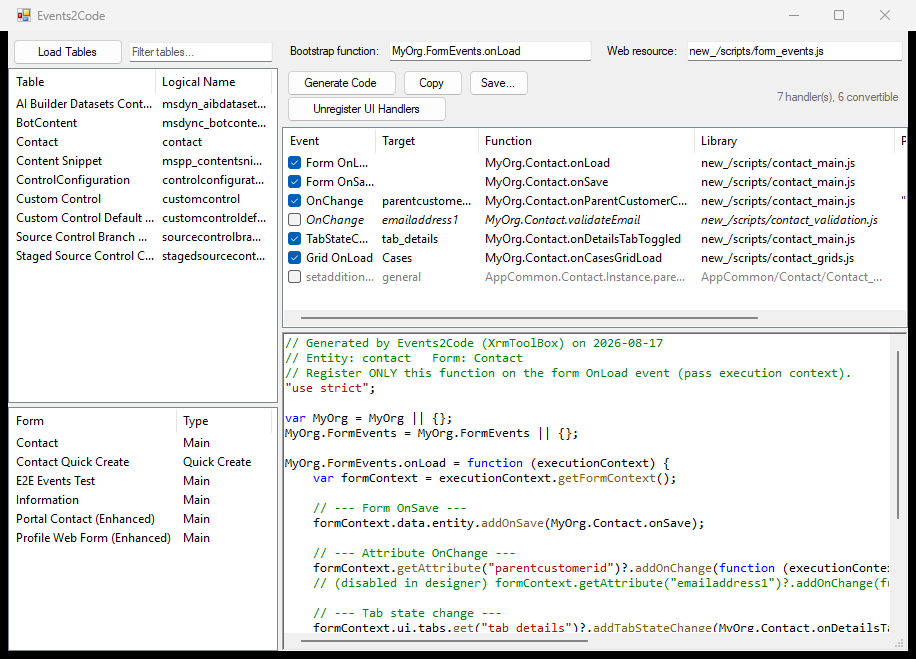
The layout follows the window, so it stays usable docked narrow:
- Getting started — install, connect, and the full walkthrough
- Generated code — what is emitted for each event kind, and why
- What unregistering changes — the exact form XML edits, backups, and rollback
- Limitations and troubleshooting — what it will not convert, and known gaps
- Development — building, the UI harness, the live test suite, releasing
- Form OnLoad itself cannot be registered from code, so exactly one UI registration remains: the bootstrap.
- Events with no programmatic registration API (e.g. business process flow events) are listed but left untouched on the form.
- A subgrid on a collapsed or non-default tab does not exist yet at form OnLoad, so its registration is skipped at runtime; move that one into the tab's state change handler by hand.
MIT